 ezsite.ai
ezsite.ai › Blog › Can AI Convert an Existing Website Into a PWA or Mobile App?
← All articlesCan AI Convert an Existing Website Into a PWA or Mobile App?
Key takeaways
- AI can recreate an existing website as a PWA or mobile-app foundation, but technical review and platform-specific delivery work remain necessary.
- A PWA is an installable web application, not the same thing as a native app, hybrid app, or packaged cross-platform app.
- PWA installation, offline behavior, and push notifications vary by browser and operating system.
- AI cannot reliably infer private backend logic, undocumented integrations, payment edge cases, authentication rules, accessibility requirements, or security controls from a public URL alone.
- EZsite AI advertises URL cloning, React and Vue generation, backend features, source-code access, and mobile conversion; treat these as vendor-described capabilities that require project-level validation.
- Choose a PWA, packaged app, or native rebuild based on repeat-use workflows, device APIs, offline needs, store-distribution goals, ownership, and maintenance responsibility.
- Measure business impact with defined baselines and experiments because PWA technology alone does not prove a conversion or engagement lift.
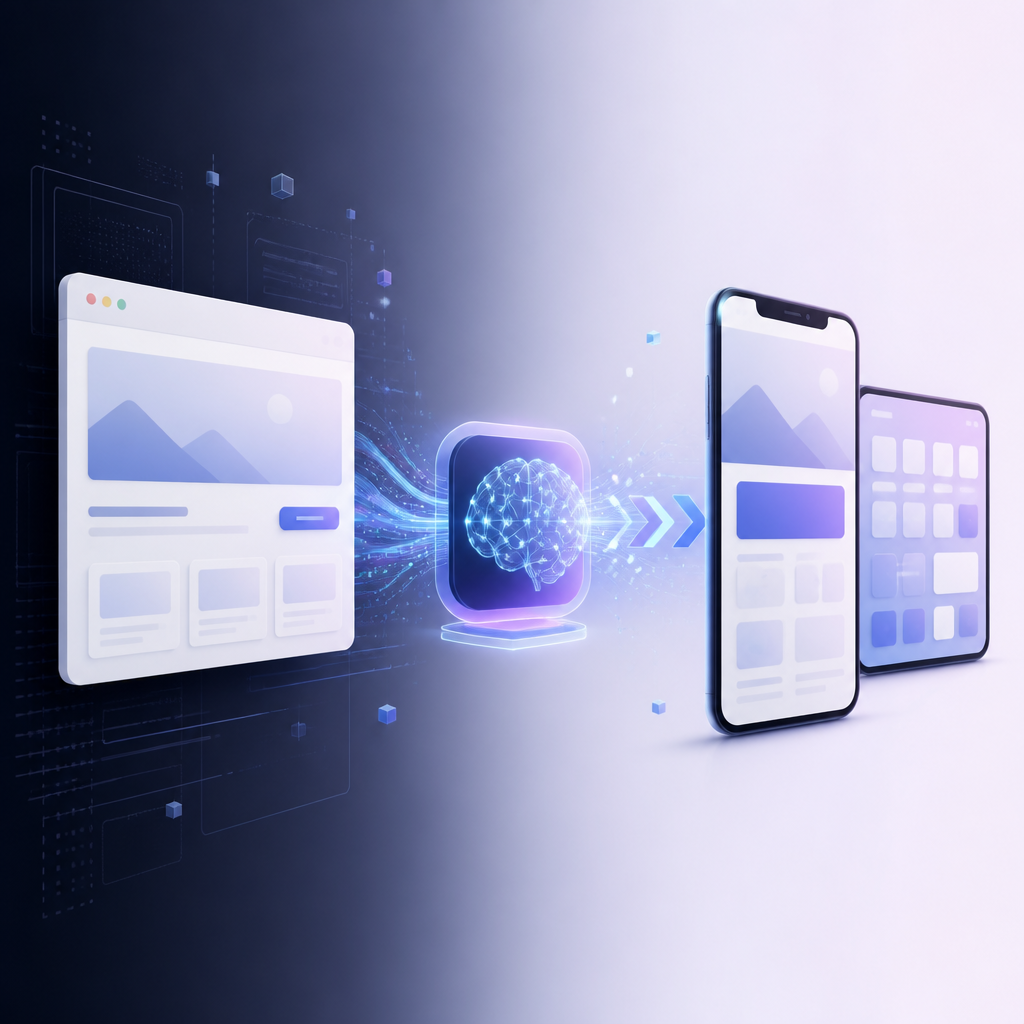
AI can recreate an existing website as a progressive web app or mobile-app foundation, but faithful production delivery still requires technical review, backend integration, testing, accessibility work, and platform-specific release tasks.
Can AI convert my existing website into a progressive web app?
Yes, AI can turn an existing website into a PWA by rebuilding its interface and adding installable web-app capabilities.
A progressive web app (PWA) remains a website delivered through the browser, but it can support an app-style launch experience, a home-screen icon, responsive layouts, and selected offline or background behaviors.
A PWA conversion commonly includes:
- Responsive layouts and touch-friendly navigation
- A web app manifest with the app name, icons, start URL, and display mode
- HTTPS deployment
- Service-worker logic for caching and offline behavior
- App-like navigation and loading states
- Optional web push notifications where the browser and platform support them
- Updated accessibility, metadata, analytics, and privacy controls
A manifest and HTTPS are important foundations, but they do not guarantee installation on every browser or device. Installation promotion, install menus, standalone behavior, push notifications, and offline support vary by browser and platform.
PWA installation and push-support matrix
| Platform and browser | Installation behavior | Web Push behavior |
|---|---|---|
| Android Chrome, Edge, Firefox, Opera, and Samsung Internet | These browsers support installing PWAs when the site meets their applicable criteria. | Web Push is available when the implementation and permission flow are supported. |
| iOS and iPadOS 16.4 or later Safari | Users can add a web app from Safari’s Share menu. | Web Push is available for web apps added to the Home Screen after permission is granted. |
| iOS and iPadOS 16.4 or later Chrome, Edge, Firefox, and Orion | These browsers can offer Add to Home Screen through the Share menu, but the installation experience is platform-controlled. | Test the exact browser and operating-system combination before promising push behavior. |
| iOS and iPadOS 16.3 or earlier | Home-screen installation is limited to Safari. | Do not promise modern iOS web-push behavior on these versions. |
| Desktop Chromium browsers | They support PWA installation when applicable manifest and browser criteria are met. | Web Push depends on browser support, permission, and server implementation. |
| Desktop Firefox | Firefox does not promote manifest-based PWA installation in the same way as Chromium browsers. | Web Push support is separate from installation support. |
| macOS Safari 17 and later | Safari supports adding websites to the Dock, with or without a manifest. | Web Push is supported for Safari webpages on supported macOS versions. |
Service workers can cache pages and assets for offline use, but offline support must be designed around specific user journeys. A cached shell does not automatically make account updates, payments, search, real-time data, or every form function without a network connection.
Is a PWA the same as a mobile app?
No, a PWA is an installable web application, while a mobile app is software distributed through a mobile operating system using a native, hybrid, or cross-platform runtime.
Key terms
- Native app: Software built specifically for iOS or Android using the platform’s native languages, frameworks, and SDKs.
- Hybrid or packaged app: A web-based application placed inside a platform application container, often with plugins that expose selected device APIs.
- Cross-platform app: One codebase that produces applications for multiple platforms through a runtime or framework.
- PWA: A website enhanced with web-platform features such as a manifest, service worker, installation, and optional web push.
- Visual clone: A recreation of a site’s appearance and page structure without necessarily reproducing its backend behavior.
- Full-stack reconstruction: A rebuilt application that includes frontend components, data models, authentication, integrations, server-side behavior, and deployment configuration.
| Conversion route | What users access | Source-code ownership | Store distribution | Push notifications | Offline limits | Complexity |
|---|---|---|---|---|---|---|
| Responsive website | A mobile-friendly website | Depends on the tool or developer agreement | No store listing required | Browser-dependent web push | Usually online-first | Low |
| PWA | An installable web app | Confirm before committing to a platform | Direct web distribution | Browser and platform dependent | Designed cache and service-worker scope | Low to medium |
| Packaged web app | An iOS or Android package containing web-led functionality | Confirm who receives and controls the project | Apple App Store and Google Play submission required | Native or web push, depending on implementation | Web limitations remain unless native features are added | Medium |
| Cross-platform app | A mobile application produced from shared code | Usually owned by the project owner when source is delivered | Store submission required | Native plugins or platform services | More control, but still requires explicit design | Medium to high |
| Native rebuild | Platform-specific iOS or Android applications | Usually controlled through the development repository and accounts | Store submission required | Native notification services | Highest platform control | High |
A PWA is usually the best first route when browser access, search visibility, a single codebase, and low-friction distribution matter most. A packaged or cross-platform app is stronger when app-store presence, native APIs, device permissions, or recurring app workflows justify the additional delivery work.
Can AI clone my website into a React or Vue app?
Yes, AI can use an existing website as a starting point for a component-based React or Vue application, but a URL or screenshot primarily supplies presentation clues rather than a complete specification of the original system.
A useful reconstruction must examine or recreate:
- Page structure, navigation, and responsive states
- Forms, validation, and submission behavior
- Authentication and account recovery
- Data models and database relationships
- Payments, subscriptions, tax, refunds, and webhooks
- CMS rules and proprietary business logic
- Search, filtering, personalization, and permissions
- Analytics, consent management, and SEO redirects
- Accessibility semantics and keyboard behavior
- Third-party integrations and server-side jobs
What EZsite AI says it provides
EZsite AI advertises URL-based website cloning, React and Vue generation, hosting, custom domains, database features, authentication, CRM functionality, Edge Functions, payments integrations, source-code download, and mobile-app conversion. These are vendor-described capabilities, not guarantees that every website will convert completely or pass production, accessibility, security, or app-store review without additional work.
For an EZsite project, treat the generated result as an application foundation to inspect and validate rather than as proof that the original website’s private logic has been transferred automatically.
What should an AI-generated mobile app add beyond the website?
An AI-generated mobile app should provide a clear repeat-use workflow or device-specific benefit instead of functioning only as a thin website wrapper.
Useful app-specific additions include:
- Saved orders, bookings, listings, or documents
- Account dashboards and secure reauthentication
- Push alerts for appointments, messages, status changes, or reminders
- Camera capture, barcode scanning, or document upload
- Location-aware search, routing, or check-in
- Downloaded content or task data for defined offline workflows
- Biometric unlock where appropriate
- Deep links and app-specific navigation
- Native share, file, calendar, or contact actions
- App settings for notification and privacy controls
Capacitor can package a modern JavaScript application for iOS and Android and expose native functionality through plugins, but device capabilities still require platform configuration, permissions, plugin selection, testing on physical devices, signing, certificates, privacy disclosures, and separate App Store and Google Play submission work.
Apple requires an app to provide features, content, and a user interface that elevate it beyond a repackaged website. Google Play also rejects apps with limited functionality or content, so a store submission should be planned as product delivery rather than as a file-format conversion.
What can AI not reliably convert from an existing website?
AI cannot reliably infer or reproduce every server-side rule, private integration, payment edge case, authentication path, accessibility requirement, or security control from a public website URL alone.
Manual discovery and engineering are usually required for:
- Server-side behavior that is not visible in the browser
- Undocumented APIs and proprietary integrations
- CMS workflows, scheduled jobs, and moderation rules
- Authentication edge cases, account recovery, roles, and session security
- Payment authorization, subscriptions, refunds, tax, and webhook handling
- Data migration, duplicate records, permissions, and retention policies
- Accessibility defects and assistive-technology behavior
- SEO redirects, canonical URLs, structured data, and indexing changes
- Privacy permissions, consent flows, data disclosures, and deletion requests
- Security controls, secrets management, rate limits, and audit logging
- Real-time features, background processing, and offline conflict resolution
- Legal ownership of images, fonts, code, trademarks, and user-generated content
A generated interface can look correct while still failing on the workflows that matter most to customers or staff, which is why validation must cover behavior, data, security, accessibility, and operations.
What is an actionable EZsite AI conversion workflow?
An actionable EZsite workflow starts with a public URL and a written product brief, then separates generated assets from the data, integrations, and release work that require human review.
1. Prepare the source material
Provide:
- The public website URL or URLs to recreate
- Brand assets, fonts, icons, and image licenses
- Page-priority notes and the intended mobile navigation
- A list of forms, account areas, and repeat-use workflows
- Database fields, sample records, and migration rules
- Authentication providers and account requirements
- Payment products, pricing rules, and webhook details
- API documentation and integration credentials through secure configuration
- Privacy, accessibility, SEO, and analytics requirements
2. Generate the application foundation
Use the URL and brief to generate the initial page structure, components, styling, routes, content structure, and selected backend scaffolding. Treat vendor-promised features such as database, authentication, CRM, Edge Functions, payments, and mobile conversion as capabilities to test in the chosen project rather than outcomes to assume.
3. Review the generated result
Manually test:
- Visual fidelity at common phone, tablet, and desktop sizes
- Navigation, deep links, redirects, and browser history
- Forms, validation, error messages, and confirmation states
- Authentication, role permissions, account deletion, and recovery
- Data reads, writes, imports, exports, and duplicate handling
- Payments, refunds, subscriptions, and failed transactions
- Accessibility with keyboard navigation and screen readers
- Performance under slow and offline network conditions
- Analytics events, consent behavior, and privacy disclosures
- Security headers, secrets, authorization, and abuse controls
4. Add PWA behavior
Configure the manifest, icons, HTTPS, service worker, caching rules, update strategy, install prompts, and offline states. Test installation and push behavior separately on the target browsers and operating systems.
5. Decide whether packaging is justified
Package the app only after a PWA or web build delivers a useful repeat-use experience. Then add native plugins, configure permissions, create app icons and metadata, test signed builds, prepare privacy disclosures, and assign responsibility for store submission and ongoing releases.
How do I choose between a PWA, a packaged app, and a full rebuild?
Choose the smallest delivery route that matches the website’s repeat frequency, device requirements, offline needs, and distribution goals.
| Website and business situation | Recommended route | Reason |
|---|---|---|
| Marketing site or brochure site with occasional visits | Responsive website | Improve mobile usability without adding installation overhead. |
| Content, catalog, booking, or service site with frequent browser visits | PWA | Add installability, fast repeat access, and selected offline behavior while keeping web distribution. |
| Product with saved workflows and a strong reason to appear in app stores | Packaged or cross-platform app | Add store distribution and selected native capabilities without immediately rebuilding everything natively. |
| Field service, logistics, inspection, or delivery product | Packaged or cross-platform app | Camera, location, notifications, files, and offline task flows often require platform integration. |
| Product with complex native hardware, intensive background work, or advanced platform UI | Native or specialized rebuild | Native SDK access and platform-specific behavior become central to the product. |
| Existing site with undocumented backend logic or fragmented data | Discovery-led rebuild | The project needs system mapping and data migration before a reliable conversion path can be chosen. |
Use this decision sequence:
1. Identify the one or two workflows users repeat most often.
2. Measure the current baseline for completion rate, load time, errors, retention, and conversion.
3. Determine whether those workflows need camera, location, notifications, files, Bluetooth, biometrics, or background processing.
4. Define the offline requirement precisely: read-only access, queued submissions, or full conflict-aware operation.
5. Decide whether direct web distribution is sufficient or whether app-store discovery is a business requirement.
6. Confirm source-code ownership, backend access, payment rules, privacy duties, analytics ownership, and maintenance responsibility.
7. Build the smallest testable version and validate it with real users and target devices.
Does converting a website into a PWA improve business results?
A PWA can support better business outcomes when measurable performance and user-experience problems are improved, but PWA technology alone does not establish a business-result lift.
Measure the effect with a defined baseline and an experiment or controlled rollout. Useful measures include:
- Mobile task-completion rate
- Form-start and form-completion rate
- Checkout or booking completion
- Repeat visits and return frequency
- Core Web Vitals and page response time
- Install prompts shown, accepted, and retained
- Push opt-in, delivery, open, and action rates
- Offline task success and synchronization errors
- Support contacts and failed sessions
The strongest causal claim is specific: a particular performance, navigation, installation, or workflow change produced a measured change in a defined user segment during a defined period.
Frequently asked questions
The answers below cover the practical cost, delivery, ownership, distribution, offline, notification, and backend questions involved in converting a website with AI.
How much does it cost to convert a website with AI?
The cost includes AI or platform usage, design and engineering review, backend work, data migration, testing, privacy and accessibility work, device integrations, signing, store accounts, and ongoing maintenance.
How long does an AI website conversion take?
A simple responsive or PWA foundation can be generated quickly, while a dependable mobile release takes longer because authentication, payments, data migration, device testing, permissions, signing, analytics, and store review must also be completed.
Who owns the source code?
Source-code ownership depends on the platform terms and project agreement, so confirm whether you can download, modify, self-host, transfer, and maintain the generated code before starting.
Should I choose a PWA or an App Store and Google Play app?
Choose a PWA for browser-led distribution and choose a store app when app-store presence, native capabilities, or recurring mobile workflows justify platform-specific delivery work.
Can a PWA work offline?
A PWA can work offline for explicitly designed pages and workflows through service-worker caching, but server-dependent data, payments, real-time features, and unsynchronized submissions require a network or a deliberate queue-and-sync design.
Can a PWA send push notifications?
A PWA can send web push notifications where the browser and platform support them, and iOS and iPadOS support web push for Home Screen web apps from version 16.4 onward after the user grants permission.
Can an existing backend be preserved?
An existing backend can often be preserved when its APIs, authentication model, data contracts, payment flows, and security requirements are documented and compatible with the new frontend.
Can AI convert my old website without rebuilding every page manually?
AI can generate much of the initial interface and application structure from an existing website, but humans still need to verify content, responsive behavior, backend workflows, accessibility, security, payments, SEO, and data migration.
What does EZsite AI generate from a website URL?
EZsite AI says it can generate React or Vue applications from a website URL and offers related hosting, database, authentication, CRM, Edge Functions, source-code, and mobile-conversion features, but each generated project must be tested for completeness and deployment readiness.
Sources
- EZsite AI product page and vendor-described capabilities: (ezsite.ai)
- EZsite AI user guides and Edge Functions documentation: (ezsite.ai)
- MDN, “Making PWAs installable,” including browser and platform installation behavior: (developer.mozilla.org)
- MDN, “Offline and background operation,” including service-worker caching and lifecycle limits: (developer.mozilla.org)
- Apple WebKit, “Web Push for Web Apps on iOS and iPadOS”: (webkit.org)
- Apple documentation for web push in web apps and browsers: (developer.apple.com)
- Capacitor documentation for cross-platform runtimes, plugins, and native APIs: (capacitorjs.com)
- Apple App Review Guidelines, including minimum functionality and repackaged-website requirements: (developer.apple.com)
- Google Play policy for functionality, content, and user experience: (support.google.com)
- Google Play payments policy: (support.google.com)
- Android documentation for app signing and Google Play release: (developer.android.com)
- Android documentation for data-use declarations and Play Console privacy disclosures: (developer.android.com)
> Important notes: Browser behavior, operating-system support, platform policies, payment rules, vendor capabilities, and app-store review requirements can change. Test the exact browsers, devices, accounts, integrations, and generated builds that you intend to support. Obtain permission to reuse website content and assets, protect credentials and personal data, and assign responsibility for source-code ownership, hosting, monitoring, security updates, analytics, privacy compliance, and store submissions.
References
- https://developer.mozilla.org/en-US/docs/Web/Progressive_web_apps/Reference
- https://docs.pwabuilder.com
- https://gs.statcounter.com/platform-market-share/desktop-mobile-worldwide/worldwide
FAQ
How much does it cost to convert a website with AI?
The cost includes AI or platform usage, design and engineering review, backend work, data migration, testing, privacy and accessibility work, device integrations, signing, store accounts, and ongoing maintenance.
How long does an AI website conversion take?
A simple responsive or PWA foundation can be generated quickly, while a dependable mobile release takes longer because authentication, payments, data migration, device testing, permissions, signing, analytics, and store review must also be completed.
Who owns the source code?
Source-code ownership depends on the platform terms and project agreement, so confirm whether you can download, modify, self-host, transfer, and maintain the generated code before starting.
Should I choose a PWA or an App Store and Google Play app?
Choose a PWA for browser-led distribution and choose a store app when app-store presence, native capabilities, or recurring mobile workflows justify platform-specific delivery work.
Can a PWA work offline?
A PWA can work offline for explicitly designed pages and workflows through service-worker caching, but server-dependent data, payments, real-time features, and unsynchronized submissions require a network or a deliberate queue-and-sync design.
Can a PWA send push notifications?
A PWA can send web push notifications where the browser and platform support them, and iOS and iPadOS support web push for Home Screen web apps from version 16.4 onward after the user grants permission.
Can an existing backend be preserved?
An existing backend can often be preserved when its APIs, authentication model, data contracts, payment flows, and security requirements are documented and compatible with the new frontend.
Can AI convert my old website without rebuilding every page manually?
AI can generate much of the initial interface and application structure from an existing website, but humans still need to verify content, responsive behavior, backend workflows, accessibility, security, payments, SEO, and data migration.
What does EZsite AI generate from a website URL?
EZsite AI says it can generate React or Vue applications from a website URL and offers related hosting, database, authentication, CRM, Edge Functions, source-code, and mobile-conversion features, but each generated project must be tested for completeness and deployment readiness.