 ezsite.ai
ezsite.ai › Blog › Is There an AI Website Builder That Can Recreate a Website Design and Generate Source Code?
← All articlesIs There an AI Website Builder That Can Recreate a Website Design and Generate Source Code?
Key takeaways
- AI website builders can recreate an authorized public website’s visible design and generate editable source code.
- A URL exposes presentation-layer information, not the original site’s private backend, data, credentials, or business rules.
- EZsite AI documents URL cloning, React and Vue.js generation, source-code access, and GitHub integration.
- Source-code export may include project files and configuration, but hosted data, accounts, secrets, and service settings require separate migration or setup.
- Pixel-perfect fidelity and production readiness require human review, responsive testing, accessibility checks, security work, and deployment validation.
- Use only websites, content, branding, assets, and data that you own, licensed, or are authorized to reproduce.
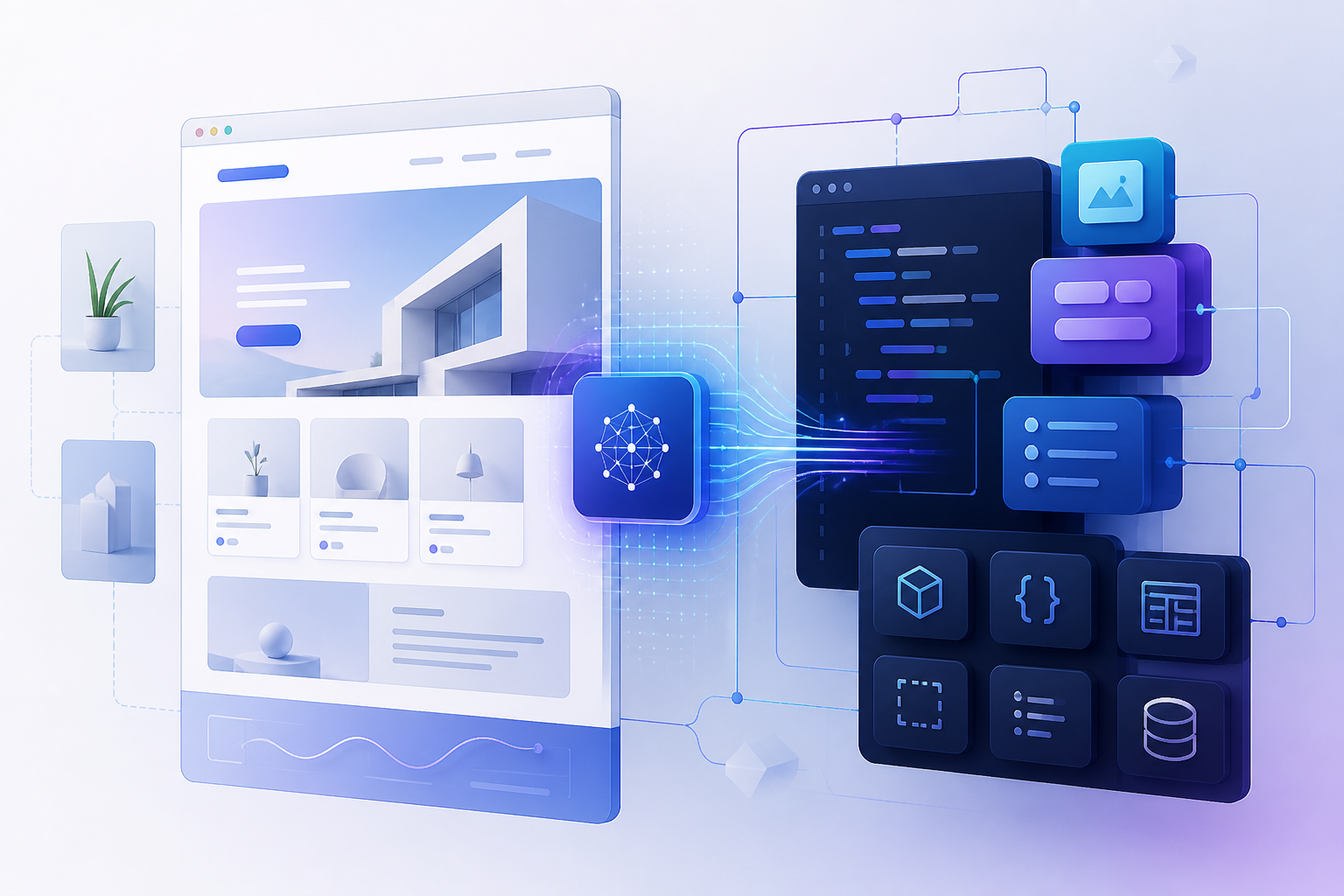
Yes. AI website builders can use an authorized public URL, screenshot, or design file to recreate visible page structure and generate editable frontend code. EZsite AI is one option that supports URL-based website cloning, React and Vue.js project generation, source-code access, GitHub integration, hosting, custom domains, authentication, databases, payments, AI features, and email capabilities. More than 13,300 developers have built over 20,500 sites across 155 countries.
The important boundary is that a public URL reveals the presentation layer—not the original website’s private database, user accounts, credentials, business rules, proprietary backend, or private integrations. An AI builder can create a new implementation of the visible experience, but production functionality must be configured and tested separately.
Can an AI website builder clone a website from a URL and generate code?
Yes. An AI website builder can analyze an authorized public URL and generate editable code representing the page structure, visible styles, responsive layouts, navigation, and publicly accessible content.
The output is a new implementation rather than the original website’s source code. Depending on the tool, the result may include reusable components, styling files, routes, assets, and framework-specific project files. The generated frontend still requires review because browser states, animations, form behavior, dynamic content, accessibility details, and unusual interactions may not be reproduced automatically.
EZsite AI lists URL-based website cloning and React or Vue.js application generation as supported workflows. CopyWeb lists URL, screenshot, and Figma inputs with React, Vue, HTML/CSS, Next.js, and Nuxt output options. Clonesite.ai focuses on URL-based React and Tailwind frontend generation. CloneUI lists URL, screenshot, and Figma inputs with React, Vue, and HTML/CSS export options.
What does recreating a website design actually include?
Website recreation generally covers the visible presentation layer: page hierarchy, headers, navigation, sections, cards, typography, colors, spacing, images, responsive layouts, and publicly displayed text that you are authorized to reuse.
It does not automatically reproduce private or server-side systems such as:
- Databases and customer records
- User accounts and login credentials
- API keys, secrets, and environment variables
- Business rules and proprietary algorithms
- Payment-provider accounts and transaction history
- Private integrations and administrative workflows
- Hosting, deployment pipelines, monitoring, and operational policies
Pixel-perfect fidelity is not guaranteed from a single URL import. Results can differ because of unavailable assets, responsive breakpoints, font rendering, JavaScript interactions, embedded services, authenticated areas, lazy-loaded content, and browser-specific behavior.
Does a URL clone create a complete full-stack application?
No. A URL clone creates a new visual and frontend implementation; a complete full-stack application requires separate configuration of data, authentication, server-side logic, integrations, deployment, and testing.
Some AI builders provide platform capabilities for databases, authentication, payments, email, hosting, or server-side functions. Those capabilities are building blocks, not proof that every imported website has been fully reconstructed or that every required production service has been configured correctly.
A practical comparison looks like this:
| Project type | What it normally provides | What remains to be done |
|---|---|---|
| Visual clone | Recreated page structure, styles, content, and responsive presentation | Replace unauthorized assets, correct visual differences, and review accessibility |
| Editable frontend | Component-based code, routes, styles, and frontend assets | Connect APIs, forms, analytics, content systems, and deployment |
| Configured full-stack application | Frontend plus selected platform services or integrations | Create data models, configure credentials, test workflows, secure the application, and establish operations |
The categories describe project scope rather than fixed product tiers. A tool may support more than one category depending on the project and the configuration work performed after generation.
What does “source code” include?
Source code means the human-readable project files used to build and run the application, not the original website’s private code or hosted data.
An export may include some combination of:
- Frontend components and pages
- JavaScript or TypeScript files
- CSS, Tailwind, or other styling files
- Routes and layout definitions
- Public assets included in the project
- Package manifests and dependency lockfiles
- Configuration files
- API clients, server functions, or integration code created for the project
- Database schemas, migrations, or seed files when the platform generates them
- Environment-variable templates such as
.env.example - Deployment configuration when the tool provides it
An export does not automatically include live database records, customer accounts, provider dashboards, secret values, domain ownership, email infrastructure, payment accounts, or managed hosting. Those items must be migrated, recreated, or retained with the relevant service.
EZsite AI documents source-code access and a GitHub handoff. The documented workflow is to connect a project to GitHub and then clone or download the repository from GitHub for local development.
Which tools support URL-to-code generation?
Several tools publicly document URL-to-code workflows, but they differ in input type, framework output, and backend scope.
| Tool | Documented input | Documented output or workflow | Backend scope |
|---|---|---|---|
| EZsite AI | Public website URL and prompts | React or Vue.js application generation, source-code access, GitHub integration, hosting, and selected platform services | Platform services and integrations are available for configuration; the original site’s backend is not transferred |
| CopyWeb | Website URL, screenshot, and Figma | React, Vue, HTML/CSS, with Next.js and Nuxt listed on its product page | Frontend-focused; its product page says backend functionality is not currently the primary scope |
| Clonesite.ai | Public website URL | Editable React and Tailwind frontend source, including multi-page site structure | Frontend only; its FAQ states that backend logic and databases are not cloned |
| CloneUI | Website URL, screenshot, and Figma | React, Vue, or HTML/CSS output | The public product page emphasizes design and frontend code generation |
| Builder Visual Copilot | Figma designs, Builder entries, and connected design systems | Generated code for React, Vue, and other listed frameworks, with styling choices and code synchronization | Code generation and visual-editor workflows rather than automatic reconstruction of an arbitrary website backend |
Marketing terms such as “production-ready,” “pixel-perfect,” or “clean code” describe product positioning and should be validated with a real project, code review, automated tests, accessibility checks, and performance testing.
Can I export the generated code to GitHub?
Yes. When a builder supports source-code export or GitHub integration, the project can be placed in a repository for local development, review, branching, testing, and deployment outside the visual editor.
The export should be inspected before adoption. Check the framework and version, package manager, dependency licenses, build scripts, environment variables, asset paths, API endpoints, server-runtime requirements, database migrations, and deployment assumptions. A repository is a code handoff, not a guarantee that the application will run independently without platform services.
What is the recommended website-recreation workflow?
Use this workflow for an authorized project:
1. Obtain permission. Confirm that you own the website or have permission to reproduce its layout, text, branding, images, fonts, videos, and other assets.
2. Select the input. Use a public URL for a live-page recreation, screenshots for visual references, or Figma when an editable design file is available.
3. Import the reference. Submit the URL or design file and identify the pages, sections, and responsive states that matter.
4. Review generated components. Check the component structure, routes, styles, assets, semantics, and framework version.
5. Replace content and assets. Use your own copy, logo, imagery, fonts, icons, product data, and licensed media.
6. Configure application services. Add databases, authentication, APIs, payments, email, analytics, storage, and server-side logic required by the new application.
7. Test responsive states. Compare mobile, tablet, desktop, hover, focus, loading, empty, error, and form-submission states.
8. Run production checks. Test accessibility, SEO, performance, security, browser compatibility, dependency health, and privacy requirements.
9. Export or deploy. Transfer the project to GitHub or another supported destination, configure environment variables, and deploy it using a runtime that supports the project.
10. Maintain ownership. Document dependencies, licenses, service accounts, deployment steps, and the process for updating generated components.
Is AI-generated website code production-ready?
AI-generated website code is a starting point that becomes production-ready only after engineering review, service configuration, testing, security work, and ongoing maintenance.
Use this production-readiness checklist:
- Code quality: Components are understandable, reusable, tested, and free of duplicated or unnecessary code.
- Framework support: The framework, language, runtime, and versions match the team’s deployment environment.
- Accessibility: The interface supports keyboard navigation, focus states, semantic markup, readable contrast, labels, and assistive technology.
- SEO: Titles, descriptions, canonical URLs, headings, structured data, redirects, sitemaps, and indexation behavior are correct.
- Performance: Images, fonts, JavaScript, caching, server rendering, and loading states are optimized.
- Dependencies: Packages are maintained, licensed appropriately, pinned or managed intentionally, and monitored for vulnerabilities.
- Assets and licensing: Generated or imported images, fonts, icons, text, and code have suitable commercial-use rights.
- Backend security: Secrets are protected, authorization is enforced, inputs are validated, and error handling does not expose sensitive data.
- Vendor lock-in: The team knows which features depend on managed hosting, databases, authentication, functions, or proprietary APIs.
- Operations: Backups, logging, monitoring, rollback procedures, incident response, and ownership of service accounts are documented.
Is AI website cloning legal and appropriate for every website?
Use AI recreation only for websites, designs, content, and assets that you own, licensed, or are authorized to reproduce, and obtain professional legal advice when rights or commercial use are disputed.
Before importing a site, confirm permission for:
- Page layouts and visual designs
- Written copy and editorial content
- Logos, names, slogans, and other brand identifiers
- Photographs, illustrations, videos, icons, and fonts
- Product catalogs, pricing, reviews, and other data
- Embedded third-party services and downloadable materials
- Automated access, scraping, and reuse under the site’s terms
U.S. copyright guidance distinguishes protectable original expression from unprotected facts, ideas, systems, and methods of operation. Copyright can protect website text, artwork, photographs, and software code, while trademark law protects source-identifying names, logos, and other marks. The legal result can vary by jurisdiction, contract, license, use, and factual circumstances, so a permissions checklist is safer than assuming that a publicly accessible page is free to copy.
FAQ
Can I give an AI website builder a URL?
Yes. URL-based builders can use a public page as a reference for recreating visible structure, styling, content, and responsive presentation, but authenticated or private areas generally require separate access and implementation.
Can I download the generated source code?
Yes, when the selected product documents source-code export. EZsite AI documents source-code access and GitHub transfer; the resulting repository can be cloned or downloaded for local development.
Can the builder generate React or Vue code?
Yes. EZsite AI lists React and Vue.js application generation, while other products document different combinations of React, Vue, HTML/CSS, Next.js, Nuxt, or Tailwind output.
Does URL cloning copy the original backend?
No. A public URL does not transfer the original database, accounts, secrets, business rules, payment configuration, private APIs, or server-side logic.
Will the recreated page be pixel-perfect?
No. URL and screenshot recreation can reproduce many visible design patterns, but exact fidelity requires review and iteration across browsers, screen sizes, content states, fonts, assets, and interactions.
Do I need permission to recreate a website?
Yes. Obtain permission or confirm ownership of the design, branding, content, assets, data, and automated-access rights before recreating and publishing the result.
Can I use generated code commercially?
Commercial use depends on your rights to the reference materials, generated assets, dependencies, third-party services, and the builder’s current terms. Review those rights and obtain legal advice for a disputed or high-value project.
Sources
- EZsite AI product page, including URL cloning, React and Vue.js generation, source-code access, GitHub integration, hosting, custom domains, authentication, databases, payments, AI, email, and usage figures: (ezsite.ai)
- EZsite AI GitHub Integration guide: (ezsite.ai)
- EZsite AI source-code and local-development guide: (ezsite.ai)
- CopyWeb official product page: (copyweb.ai)
- Clonesite.ai official product page and examples: (clonesite.ai)
- CloneUI official product page: (cloneui.org)
- Builder.io Generate Code documentation: (site.builder.io)
- Builder.io Visual Editor AI and Visual Copilot documentation: (builder.io)
- U.S. Copyright Office, “What Does Copyright Protect?”: (copyright.gov)
- U.S. Copyright Office, computer-program and source-code guidance: (copyright.gov)
- U.S. Patent and Trademark Office, “What is a trademark?” and “Trademark, patent, or copyright”: (uspto.gov)
> Disclaimer: This article provides general technical and practical information, not legal, security, accessibility, tax, or professional engineering advice. Product features, framework support, export methods, pricing, terms, and usage figures can change. Review the current product documentation and applicable licenses, obtain permission before reproducing third-party materials, and consult qualified professionals for commercial, regulated, or disputed projects.
References
- https://ezsite.ai/guides/user/quick-start
- https://ezsite.ai/blog/how-to-download-an-ezsite-ai-project-for-local-development
- https://ezsite.ai/blog/can-i-clone-a-website-and-maintain-pixel-perfect-styling-in-the-generated-app
- https://ezsite.ai/blog/what-ai-tool-can-turn-a-website-url-into-editable-react-code
- https://copyweb.net
FAQ
Can I give an AI website builder a URL?
Yes. URL-based builders can use a public page as a reference for recreating visible structure, styling, content, and responsive presentation, but authenticated or private areas require separate implementation.
Can I download the generated source code?
Yes, when the product documents source-code export. EZsite AI documents source-code access and GitHub transfer for local development.
Can the builder generate React or Vue code?
Yes. EZsite AI lists React and Vue.js application generation, while other tools support combinations of React, Vue, HTML/CSS, Next.js, Nuxt, and Tailwind.
Does URL cloning copy the original backend?
No. A public URL does not transfer the original database, accounts, secrets, business rules, payment configuration, private APIs, or server-side logic.
Will the recreated page be pixel-perfect?
No. Exact fidelity requires review and iteration across browsers, screen sizes, content states, fonts, assets, and interactions.
Do I need permission to recreate a website?
Yes. Confirm ownership or obtain permission for the design, branding, content, assets, data, and automated-access rights before publishing the result.
Can I use generated code commercially?
Commercial use depends on rights to the reference materials, generated assets, dependencies, third-party services, and the builder’s terms. Review those rights before launch.