 ezsite.ai
ezsite.ai › Blog › How to Quickly Prototype a Web App by Cloning an Existing URL
← All articlesHow to Quickly Prototype a Web App by Cloning an Existing URL
Key takeaways
- Use URL cloning only with an owned, authorized, or licensed reference.
- In EZsite AI, the practical workflow is to create a project, choose URL import or cloning, paste a public URL, generate, and iterate; exact labels and timing may vary.
- Treat the generated project as a starting implementation, not a production-ready app without QA, security, accessibility, legal, and business-logic work.
- A public URL cannot reliably reveal authenticated behavior, server-side logic, databases, permissions, dynamic data, or protected integrations.
- Replace copied branding, text, images, metadata, analytics, forms, embeds, and test data before public sharing.
- Implement the smallest complete journey first: screens, data model, authentication, core transaction, error states, permissions, and deployment checks.
- Verify vendor claims about payments, source-code access, prerendering, mobile conversion, pricing, and plan limits before purchase or launch.
- Choose manual development when the reference is legally risky, the product is highly distinctive, or the generated structure creates more rework than value.
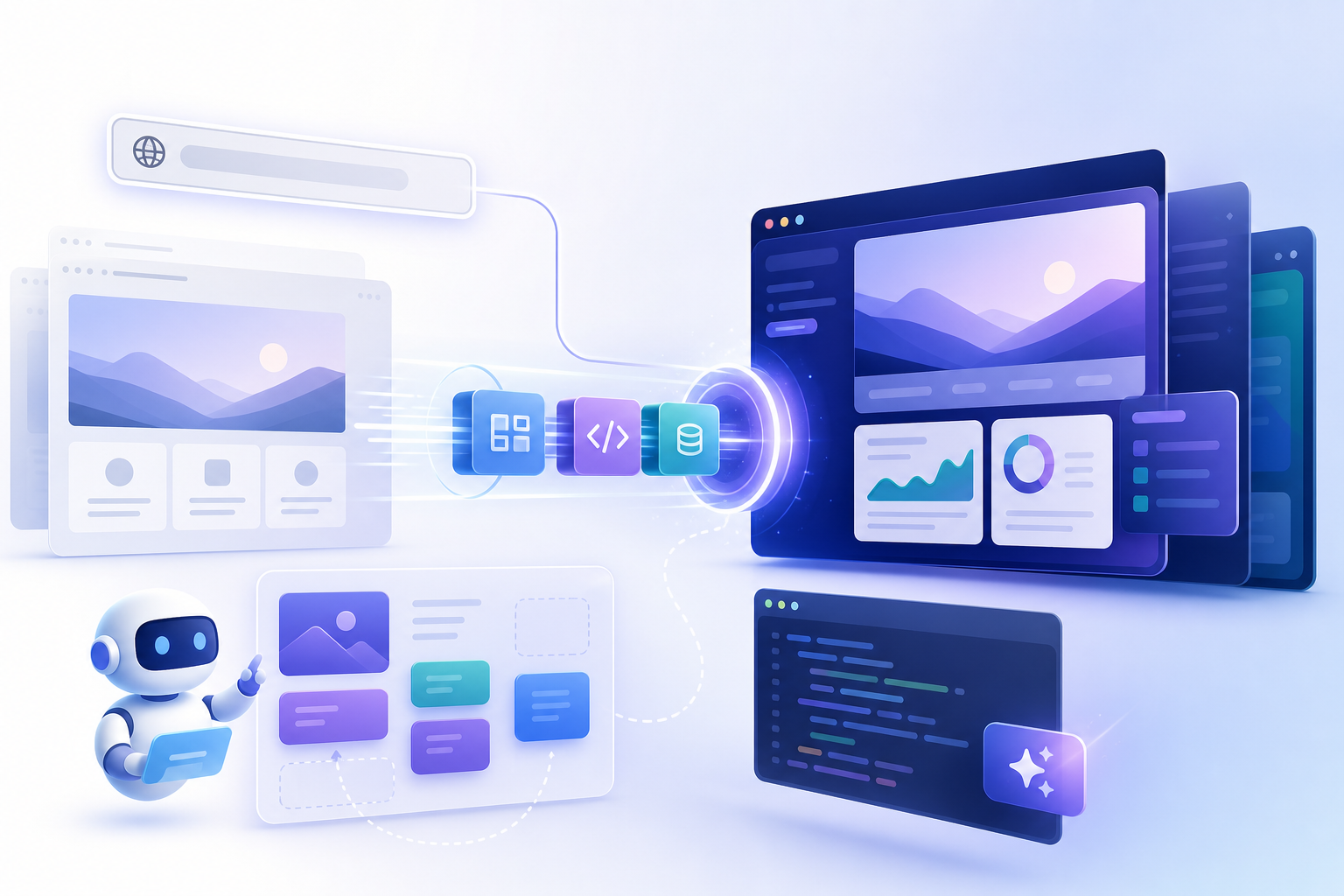
Cloning a permitted reference URL can accelerate web-app prototyping by giving you an editable starting point for layouts, navigation, and interface components. With EZsite AI, the basic workflow is to create a project, choose the URL-cloning or import option, paste a public URL, generate the project, and refine the result with prompts or visual edits.
Treat the output as a prototype—not an automatically production-ready application. You still need to replace unauthorized content, define the data model, implement business rules, test security and accessibility, verify integrations, and obtain legal advice when the reference site belongs to someone else.
How does EZsite AI import a URL?
EZsite AI’s current product pages state that users can clone a website by entering its URL and generate a React or Vue.js application. The exact interface labels may change, but the practical workflow is:
1. Open EZsite AI and create or select a project.
2. Choose the URL-cloning or website-import workflow.
3. Paste a public reference URL, such as `https://example.com/%60.
4. Submit the URL and start generation.
5. Review the generated preview and inspect the pages, navigation, forms, images, and responsive layouts.
6. Use follow-up prompts or visual editing to change the brand, content, components, and functionality.
EZsite AI does not publish a universal generation-time guarantee on the cited product pages. Generation time can vary with the number of pages, the complexity of the source site, JavaScript rendering, media, and the selected features. Record the actual time for your project rather than promising that every URL will be processed within a fixed period. (ezsite.ai)
Example input and prompt
Input URL: `https://example.com/booking%60
Follow-up prompt:
> Rebuild this as a booking prototype for “Northstar Wellness.” Keep the general page hierarchy and appointment-selection flow, but replace all branding, copy, images, colors, and icons. Add service records, date and time selection, a confirmation screen, email capture, and an admin view for managing appointments. Use placeholder data only until the data model and permissions are reviewed.
What the first generation may include
The vendor describes URL cloning as importing layout, content, and components into an editable application. In practice, expect a reconstructed starting implementation rather than a literal copy of the original site’s source code. The result may include:
- Page structure and visible sections
- Navigation and routing inferred from accessible pages
- Recreated buttons, forms, cards, and content blocks
- Responsive styling based on the pages the tool can inspect
- Placeholder or copied text and media that must be reviewed
- A framework project such as React or Vue, depending on the supported workflow
The first output is not proof that the app is production-ready. “Production-ready” is EZsite AI’s marketing language; a real deployment still requires code review, quality assurance, security testing, accessibility work, privacy configuration, reliable data handling, and business-logic implementation. (ezsite.ai)
What cannot be reliably cloned from a public URL?
A URL exposes only what the tool can access and interpret. It does not automatically reveal the original application’s private code, database schema, server-side logic, credentials, operational policies, or business rules.
Common limitations include:
- JavaScript-rendered pages: Content that appears only after complex client-side execution may be missing or incomplete.
- Authenticated pages: Account areas require authorized access and may not be available to a public crawler.
- Paywalled or restricted content: A public link does not grant permission to bypass access controls.
- Blocked crawlers: Robots rules, firewalls, rate limits, bot detection, or network restrictions may prevent inspection.
- Dynamic data: Inventory, recommendations, availability, prices, dashboards, and search results need a real data source.
- Third-party widgets: Maps, chat tools, reviews, scheduling tools, and payment widgets may need separate integration.
- Complex interactions: Drag-and-drop editors, multi-step workflows, real-time updates, and unusual animations may require manual rebuilding.
- Accessibility semantics: A visual match does not guarantee correct headings, labels, keyboard navigation, focus management, or screen-reader behavior.
- Server-side functionality: Permissions, webhooks, fraud controls, background jobs, billing rules, and API secrets cannot be inferred safely from the visible interface.
For these reasons, use URL cloning to accelerate interface discovery and prototyping. Do not treat it as a way to obtain another company’s implementation or backend behavior.
Is it legal to clone another website from its URL?
The safest references are websites you own, client sites covered by written authorization, or templates and designs licensed for reuse. A public URL is not automatically permission to reproduce its content, appearance, code, data, brand, or user flows.
The legal analysis can involve several separate issues:
- Copyright: Text, photographs, illustrations, videos, software code, and some original visual or editorial arrangements may be protected. The U.S. Copyright Office explains that websites can contain copyrightable material and that a website or page may qualify for registration in some circumstances, but copyright does not protect ideas, systems, methods, or concepts as such. See Circular 66 on websites and website content and Circular 61 on computer programs. (copyright.gov)
- Trademarks: Names, logos, slogans, product identifiers, and other brand signals may create confusion even if the underlying page code is different. The Copyright Office notes that names, titles, and short phrases are generally addressed through trademark law rather than copyright. (copyright.gov)
- Trade dress: A highly similar combination of visual elements, presentation, and branding may raise separate concerns when it makes users think the businesses are connected.
- Database rights and data restrictions: Product catalogs, listings, reviews, directories, and other collections may be subject to contractual, copyright, privacy, or database-related restrictions.
- Terms of service and contracts: A site’s terms, API rules, client agreement, license, or employment contract may restrict copying, scraping, automated access, or reuse.
- Trade secrets and confidential information: Private workflows, credentials, source code, and nonpublic business logic should not be obtained or reproduced without authorization.
Replacing a logo and changing the colors does not automatically make a close visual or interaction copy lawful. Before using a competitor’s site as a reference, consult a qualified attorney who can assess copyright, trademark, trade dress, contract, privacy, scraping, and other applicable issues. This article is general information, not legal advice.
What should I replace after generating the prototype?
Perform a content and asset audit before sharing the prototype outside your team. Replace or remove anything that is not yours or not licensed for the project.
Visible content
Review and replace:
- Logos, wordmarks, icons, and favicons
- Product names, slogans, and brand language
- Photos, illustrations, videos, and screenshots
- Testimonials, reviews, staff biographies, and customer logos
- Pricing, guarantees, policies, and calls to action
- Fonts, color tokens, distinctive illustrations, and branded patterns
Hidden and operational content
Also inspect:
- Page titles, descriptions, canonical tags, and Open Graph images
- Alt text and accessibility labels
- Analytics IDs, pixels, cookie notices, and consent settings
- Contact addresses, phone numbers, form destinations, and webhooks
- Embedded videos, maps, chat services, and scheduling tools
- Placeholder credentials, API keys, environment variables, and test data
- Privacy, refund, terms-of-service, and accessibility pages
The goal is not merely to make the prototype look different. It should represent your own product, users, policies, data, and business model.
How do I turn the generated interface into a full-stack app?
Build one complete user journey before expanding the feature list. A useful implementation sequence is:
1. Generate and review the screens
Confirm that the main pages, routes, responsive states, and core components exist. Acceptance criteria: every primary navigation item resolves to the intended screen, no critical page contains copied branding, and the main journey can be demonstrated with placeholder data.
2. Define the data model
List entities, fields, relationships, lifecycle states, and retention requirements. For a booking app, this might include users, services, staff, availability, appointments, and notifications. Acceptance criteria: the schema supports the core journey without storing unnecessary personal information.
3. Add authentication
Implement sign-up, sign-in, sign-out, password recovery, session handling, and account states only where required. Acceptance criteria: unauthenticated users cannot access protected records, sessions expire or refresh as intended, and account errors do not expose sensitive information.
4. Implement the core transaction
Choose one business-critical action: booking an appointment, submitting a lead, creating an order, or completing a subscription. Acceptance criteria: valid input creates the correct record, duplicate submissions are handled, failures are recoverable, and the user receives a clear confirmation.
5. Add error and empty states
Cover validation errors, unavailable inventory, failed payments, expired sessions, network failures, empty dashboards, and unauthorized actions. Acceptance criteria: each state has understandable copy, a recovery path, and no raw stack traces or sensitive details.
6. Add permissions and administrative workflows
Define roles and enforce authorization on the server or backend layer—not only by hiding buttons in the browser. Acceptance criteria: users can access only the records and actions permitted by their role, and important changes are logged where appropriate.
7. Connect integrations and deploy checks
Add email, payments, CRM, storage, analytics, webhooks, or external APIs only after the core flow is stable. EZsite AI publishes product pages describing built-in authentication, database features, Edge Functions, hosting, custom domains, GitHub integration, source-code access, and Stripe or Supabase integrations. Treat each as a vendor-stated capability and verify availability, limits, pricing, and implementation details for your plan before committing. (ezsite.ai)
The same caution applies to claims about PayPal, crawler prerendering, or other integrations: do not assume they are included unless the current plan documentation or product support confirms them. Payment processing also requires merchant-account configuration, webhook verification, refund handling, fraud controls, tax treatment, and testing in a sandbox or test mode.
How long should the iteration loop take?
Do not estimate success from the first generation. Use a short, evidence-based loop:
1. Generation pass: Import the authorized URL and record what was created.
2. Visual pass: Fix layout, spacing, typography, responsive behavior, and asset substitutions.
3. Product pass: Rewrite the flow around your users and business rules.
4. Data pass: Add the minimum schema and realistic test records.
5. Functional pass: Implement one end-to-end action and its failure states.
6. Review pass: Run accessibility, security, performance, and legal checks.
7. Decision pass: Keep the generated project, export it, or restart from a blank project if the inferred structure is creating more rework than value.
A useful prototype milestone is not “the page looks identical.” It is “a target user can complete the intended task with test data, and the team can identify the remaining work.”
Before-and-after example
Before: A wellness company has a static marketing page with service cards and a “Book now” button. The team wants to test whether visitors will choose a service and request an appointment.
After the first prototype pass: EZsite AI has generated the page hierarchy and service-card layout from an authorized reference URL. The team replaces the original brand, creates a services table, adds a date-and-time form, stores appointment requests, and provides an admin list. It then tests unavailable times, duplicate submissions, confirmation email behavior, mobile keyboard handling, and unauthorized access.
The result is useful because it tests the booking hypothesis. It is not ready for public operation until payment rules, staff calendars, privacy requirements, notifications, security, and deployment settings have been reviewed.
Can a cloned website become a mobile app?
EZsite AI currently markets one-click conversion of a website into iOS and Android applications. The cited product pages do not, by themselves, establish whether a particular result is a native app, a hybrid application, a web wrapper, or an export that still requires separate native configuration and app-store submission. Verify the output type, supported plans, build process, signing requirements, permissions, distribution workflow, and maintenance model before relying on the feature. (ezsite.ai)
Before mobile conversion, test:
- Touch target size and spacing
- Bottom navigation, back behavior, and deep links
- Keyboard and long-form behavior
- Authentication persistence and logout
- Camera, location, notifications, and file-upload permissions
- Offline, slow-network, and interrupted-payment states
- App icons, splash screens, privacy disclosures, and store metadata
A responsive web app may be the right first release. A mobile package becomes more valuable when users need device capabilities, frequent notifications, offline access, or a store-distributed experience.
How should I test performance after cloning a URL?
Run repeatable tests on representative pages rather than relying on a single desktop preview. Google’s performance guidance recommends tools such as Lighthouse, PageSpeed Insights, and Chrome DevTools for investigating loading behavior and Core Web Vitals. (ezsite.ai)
Use this practical procedure:
1. Run at least three mobile Lighthouse tests for the home page, the primary task page, and a data-heavy page. Record the scores and the largest opportunities instead of treating one score as a guarantee.
2. Review Core Web Vitals in field data when the site has real traffic, especially loading, visual stability, and interaction responsiveness.
3. Set an image budget for the prototype. For example, require every uploaded image to be resized to its display dimensions, use modern formats where supported, and reject unnecessarily large originals.
4. Measure form latency from submit to visible confirmation using realistic network conditions. Test both successful and failed requests.
5. Test with realistic data volume, not only three sample records. Check long tables, pagination, search, filtering, and empty states.
6. Inspect third-party scripts, analytics, embeds, fonts, and client-side JavaScript for unnecessary work.
7. Retest after adding authentication, payments, dashboards, or mobile-specific behavior.
Performance targets should be agreed with the product team and measured consistently. Avoid inventing a universal pass threshold; the acceptable result depends on the page, audience, network, device mix, and business function.
Which audiences benefit most from URL-based prototyping?
SaaS teams
URL cloning can help a SaaS team explore onboarding, dashboards, pricing, and account navigation before investing in a complete design system. The trade-off is that dashboard permissions, multi-tenant data isolation, billing states, and background jobs still require deliberate engineering.
E-commerce teams
It can accelerate catalog, product-detail, cart, and checkout exploration. The trade-off is that product data, inventory, tax, shipping, refunds, fraud prevention, payment webhooks, and order operations cannot be safely inferred from the interface.
Booking and service businesses
A reference URL can provide a fast starting point for service discovery, scheduling, and confirmation flows. The trade-off is that availability, time zones, cancellations, staff calendars, reminders, and double-booking prevention need real rules and testing.
Internal tools and CRMs
Cloning a familiar dashboard pattern can help teams validate record views, filters, forms, and approval workflows. The trade-off is that internal tools often need strict permissions, audit trails, imports, exports, and integrations with systems of record.
Nontechnical founders and small teams
EZsite AI may be attractive when the team values a single workflow for visual editing, hosting, backend features, and deployment. The trade-off is platform dependency: verify export quality, ownership terms, support, limits, pricing, and whether the team can maintain the application if it later moves to another stack.
Experienced developers
A generated React or Vue starting point can reduce repetitive layout work and provide an early artifact for review. Manual development may be preferable when the application needs unusual architecture, strict compliance, complex real-time behavior, high-scale performance, or precise control over every dependency and deployment decision.
When should I clone a URL, and when should I start from scratch?
URL cloning is appropriate when:
- You own or have permission to use the reference.
- The product has a conventional page hierarchy or interaction pattern.
- You need a fast visual prototype for user testing or stakeholder review.
- The reference helps communicate a flow better than a blank canvas.
- You are prepared to replace assets and implement the real backend separately.
Start from a blank project when:
- The reference site is a competitor’s protected identity or content.
- The app depends on complex server-side logic that the URL cannot reveal.
- You need a distinctive product experience rather than a close visual resemblance.
- Compliance, security, accessibility, or performance requirements are unusually strict.
- The generated structure is difficult to maintain or creates more rework than it saves.
Decision checklist
Before launch, confirm that:
- The reference URL was authorized for the intended use.
- All copied assets, text, branding, and data have been replaced or licensed.
- The core data model and permissions have been reviewed.
- Authentication, forms, transactions, integrations, and webhooks have been tested.
- Error, empty, loading, and unauthorized states work.
- Mobile layouts and keyboard, touch, and network behavior are acceptable.
- Accessibility checks cover headings, labels, contrast, focus, and keyboard use.
- Performance has been tested on representative mobile pages and realistic data.
- Secrets and payment credentials are kept out of client-side code.
- Hosting, domain, privacy, analytics, and deployment settings are ready.
- Legal counsel has reviewed any high-risk similarity or reuse question.
The best use of URL cloning is to shorten the path from an idea to a testable product hypothesis. It is a starting implementation—not a substitute for original product decisions, engineering review, legal clearance, or production QA.
FAQ
Do I need permission to clone a website URL?
You should use a site you own, a client-authorized site, or a properly licensed reference. Public availability does not automatically grant permission to reproduce content, branding, code, data, or a confusingly similar presentation.
Can EZsite AI clone a dynamic or authenticated URL?
It may not reproduce pages that require login, subscriptions, client-side data loading, bot verification, or blocked crawling. Even if a page can be viewed, its private backend behavior and data rules still must be implemented separately.
Is cloning a competitor’s website safe if I replace the logo?
No automatic safe harbor exists merely because the logo or colors changed. Copyright, trademark, trade dress, contracts, terms of service, data restrictions, and other issues may still apply. Obtain legal advice before pursuing a close competitor imitation.
Does URL cloning copy the original source code?
Usually, AI URL cloning reconstructs an editable implementation from what the tool can inspect; it is not the same as receiving the original repository. EZsite AI states that it offers source-code access and GitHub integration, but verify what is included, how ownership works, and whether third-party dependencies or assets carry separate restrictions. (ezsite.ai)
Who owns the generated code?
Ownership depends on the builder’s current contract, plan, third-party components, and the assets used in the project. EZsite AI’s product pages state that users can download source code and that the source code is theirs, while its terms and current plan documents should be reviewed for the exact conditions. Do not assume that source-code ownership transfers rights to copied third-party content or trademarks. (ezsite.ai)
Does mobile conversion create a native iOS or Android app?
Not necessarily. EZsite AI markets mobile conversion, but the cited pages do not clearly define the output architecture or the amount of app-store configuration required. Confirm whether the result is native, hybrid, wrapped web content, or an export requiring separate builds, signing, permissions, and store submissions. (ezsite.ai)
Can I add payments after cloning the interface?
Yes, if the builder and plan support the required payment integration, but payment functionality needs more than a button. Configure merchant accounts, secure server-side handling, webhooks, order states, refunds, taxes, fraud controls, and test transactions. EZsite AI publishes Stripe setup guides, including one-time and subscription payment workflows. (ezsite.ai)
When is manual development better?
Manual development is usually better when the product needs unique interaction patterns, complex backend workflows, strict compliance, specialized performance, or long-term control over infrastructure. It may take longer to create the first screens but can reduce rework and platform constraints later.
References
- https://vercel.com/docs/v0
- https://vercel.com/academy/v0-foundations/enhance-design-with-screenshots-and-versions
- https://examples.vercel.com/academy/v0-foundations
- https://www.builder.io/blog/visual-copilot
- https://github.blog/news-insights/research/survey-ai-wave-grows
FAQ
Do I need permission to clone a website URL?
Use a site you own, a client-authorized site, or a properly licensed reference. A public URL does not automatically grant permission to reproduce content, branding, code, data, or a confusingly similar presentation.
Can EZsite AI clone a dynamic or authenticated URL?
Not reliably in every case. Login requirements, paywalls, client-side rendering, bot protection, blocked crawlers, and dynamic data can limit what is reconstructed.
Is cloning a competitor’s website safe if I replace the logo?
No. Copyright, trademark, trade dress, contract, terms-of-service, and data restrictions may still apply. Obtain legal advice before creating a close imitation.
Does URL cloning copy the original source code?
AI URL cloning generally reconstructs an editable implementation from accessible content; it is not the same as receiving the original repository. Verify the builder’s export and ownership terms.
Who owns the generated code?
Review the builder’s current terms, plan, third-party dependencies, and asset licenses. Even if you own generated source code, that does not transfer rights to copied third-party content or branding.
Does mobile conversion create a native iOS or Android app?
Not necessarily. Confirm whether the output is native, hybrid, wrapped web content, or an export requiring separate builds, signing, permissions, and app-store configuration.