Built-in Mini CRM
EZsite comes with a Built-in Mini CRM, eliminating the need to integrate an external one. Each time you create a form, EZsite automatically sets up a Mini Crm within your project and handles the creation of all necessary keys and attributes for you. You can search the data in the same way you would search a database.
To view data collected in real time:
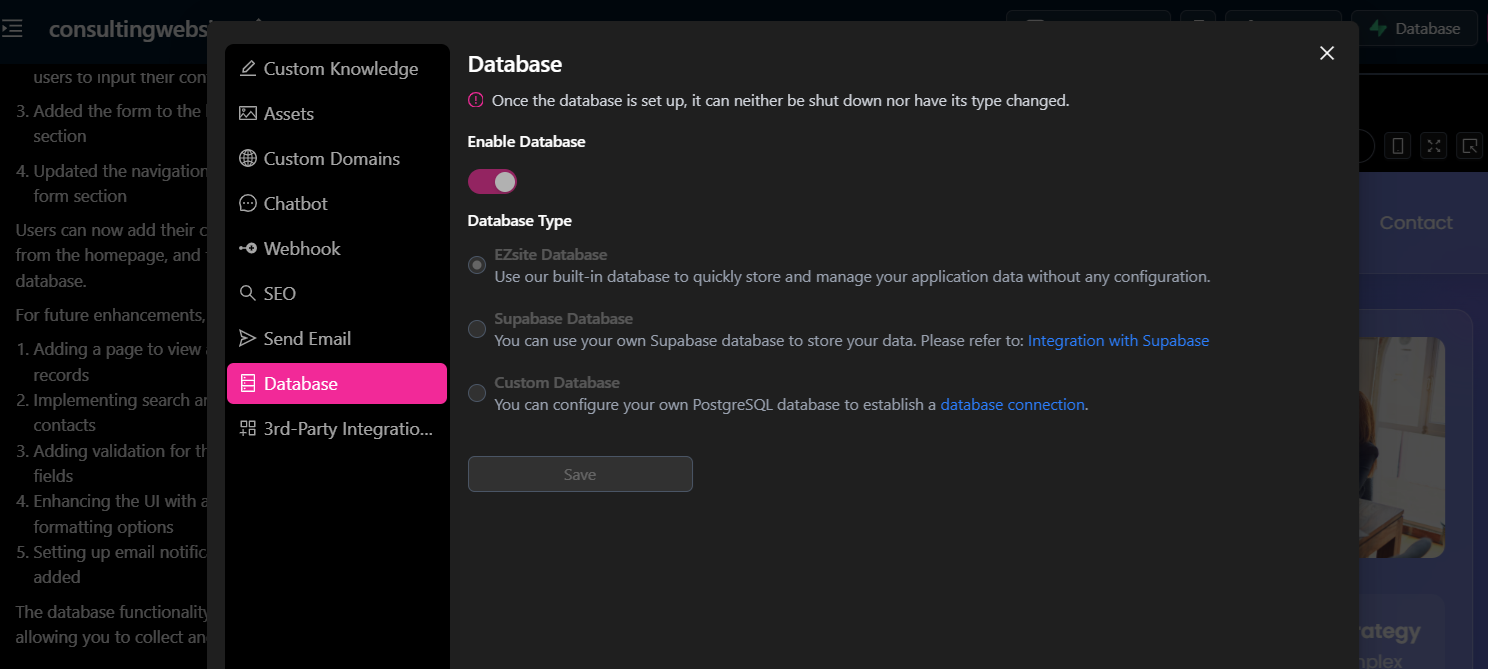
Step 1. Enable Database and Choose EZsite Database Type
Locate and click the "Database" button in the top right corner of your project.
Click "Enable Database" button, choose "EZsite Database" Database Type and Save
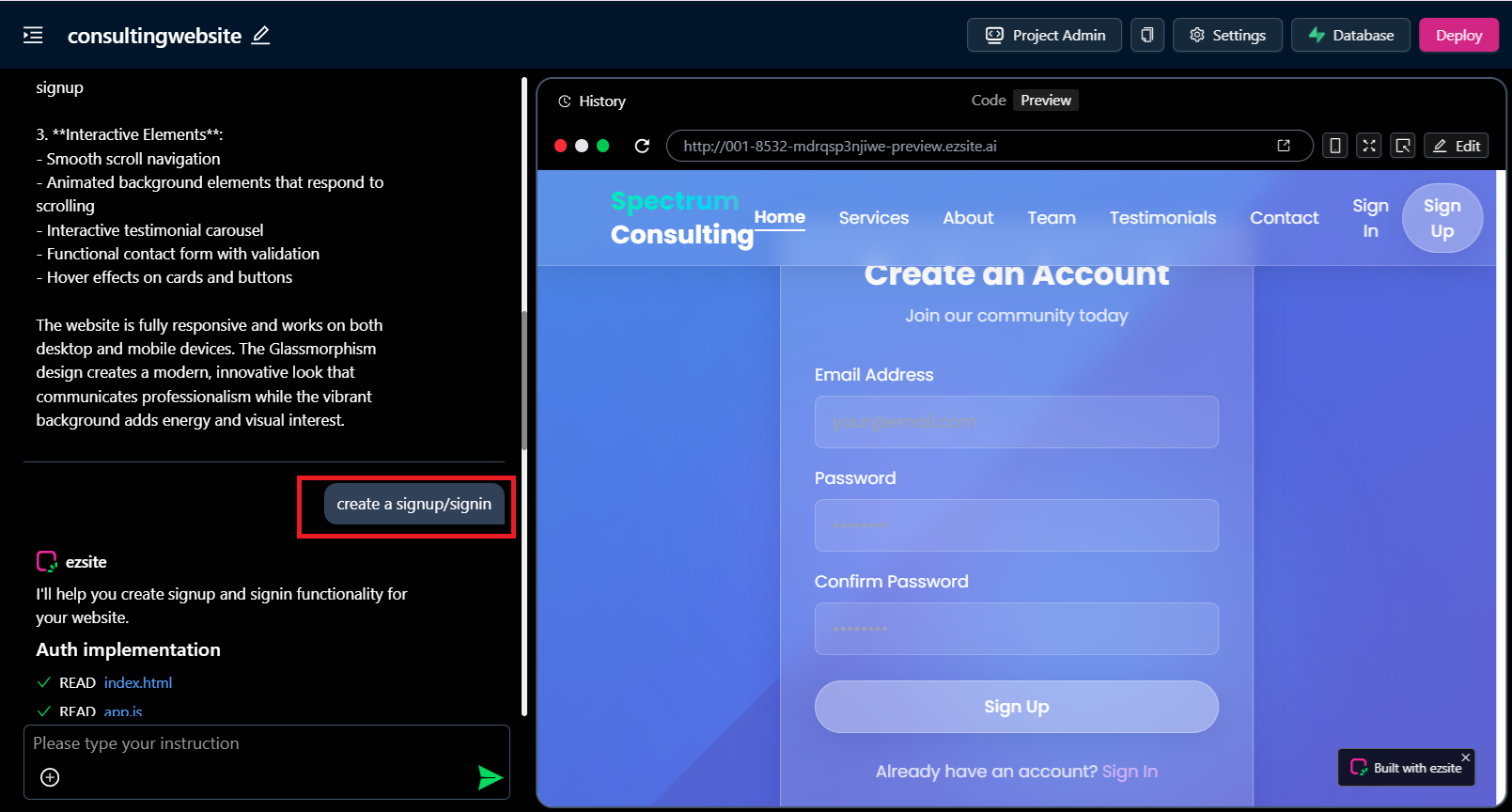
Step 2. Prompt to create a form
create a signup/signin
A signup/signin button will be implemented. When the user clicks the button, a signup/signin form will appear, prompting them to enter their email and password. For account activation during signup, a verification link will be sent to the provided email address.
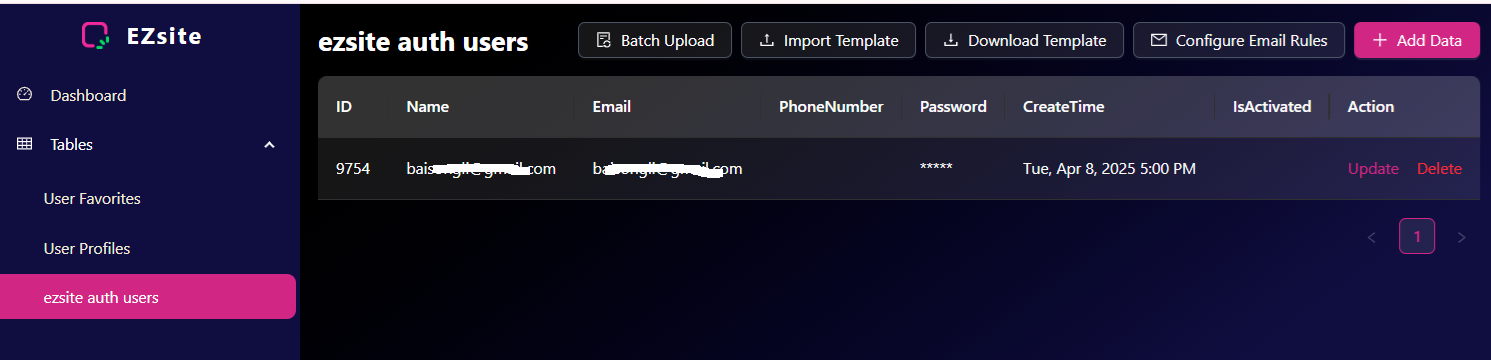
Step 3. Go to your Project Admin page.
- Click the "Project Admin" button to open the Mini CRM panel.

- This feature enables you to manage and monitor your data easily, without requiring any additional setup.